

Stock movements
Every change to a part's quantity is recorded with the reason, the job it was used on, who made it and the balance afterwards.
Audience:Workshop ManagerAccounts
Stock movements answer "where did that part go?". WRMS Pro records every change to a part's quantity, and the history cannot be edited or deleted.
See a part's history
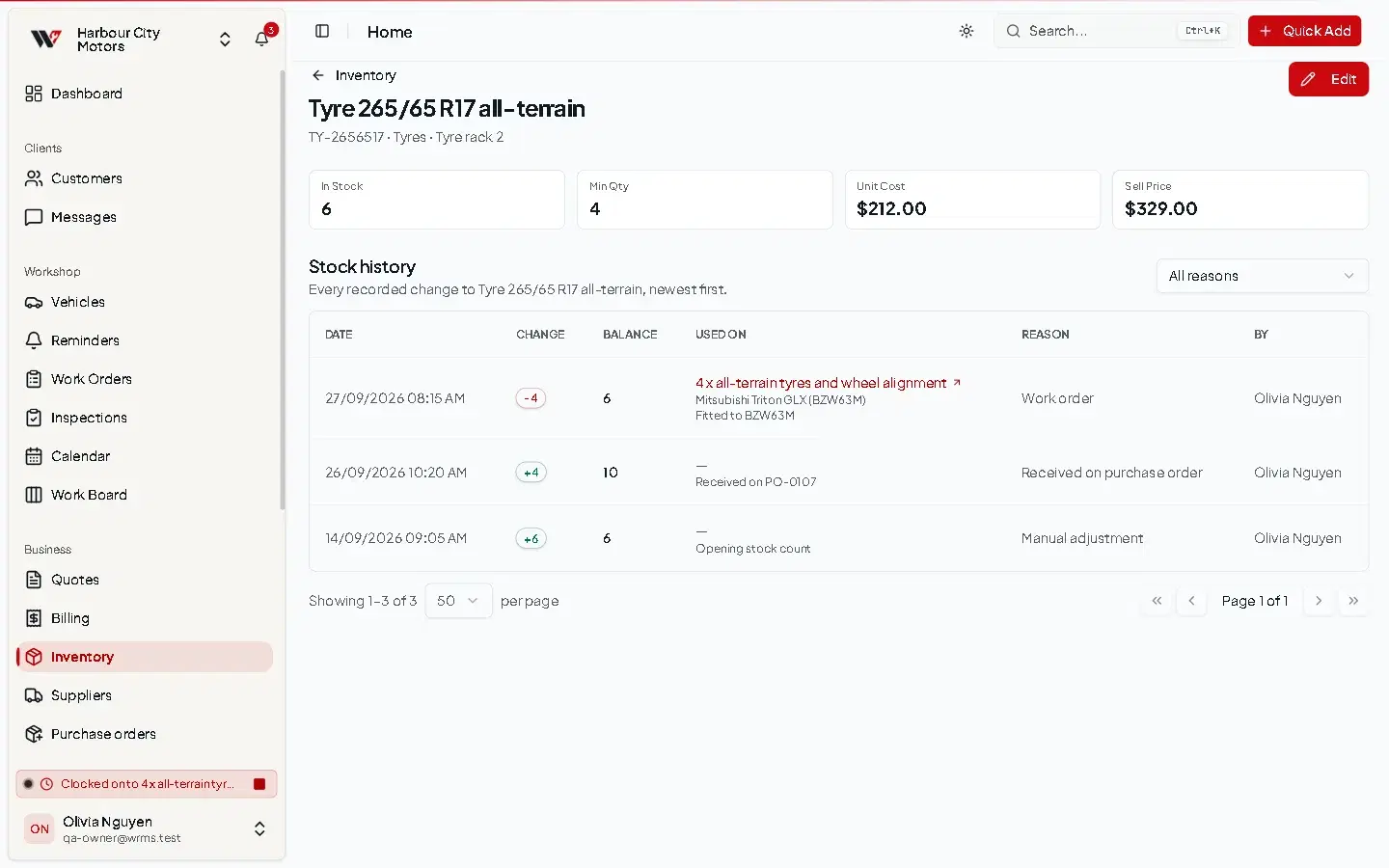
Open Inventory, find the part, and choose Details & history from its row actions. Stock history lists every change, newest first.
| Column | Shows |
|---|---|
| Date | When the change happened. |
| Change | How much was added (+) or taken (−). |
| Balance | The quantity straight after the change. |
| Reason | Why it changed. |
| Used on | The work order, for parts used on a job. |
| By | Who made the change. |
Filter by reason with All reasons.
Reasons
| Reason | Happens when |
|---|---|
| Work order | The part is added to, changed on or removed from a work order. |
| Work order deleted | A work order using the part is deleted and the stock is put back. |
| Quote converted | A quote with the part is converted into a work order. |
| Manual adjustment | Someone changed the quantity by hand or added stock from a barcode scan. |
| Bulk markup | Sell prices were changed in bulk (quantity unchanged). |
| Purchase order receipt | Goods were received on a purchase order. |
The history keeps the job's name even if the work order is later deleted, so you can still see where a part went.
Permissions
Viewing history needs Inventory → View.
Still need help?
Email support@wrmspro.com or use the contact form. Signed-in users can also send a request from Settings → Support.