

Share links
Send customers a link to their quote, invoice, inspection report or status update. They open it on any phone or computer, without an account.
A share link is a private web address for one document. Anyone who has the link can open it in a browser — no account, no app. It is the main way customers see and act on their paperwork.
What can be shared
| Document | What the customer can do |
|---|---|
| Quote | Read it, download a PDF, Accept Quote or Request Changes. See Quote approval. |
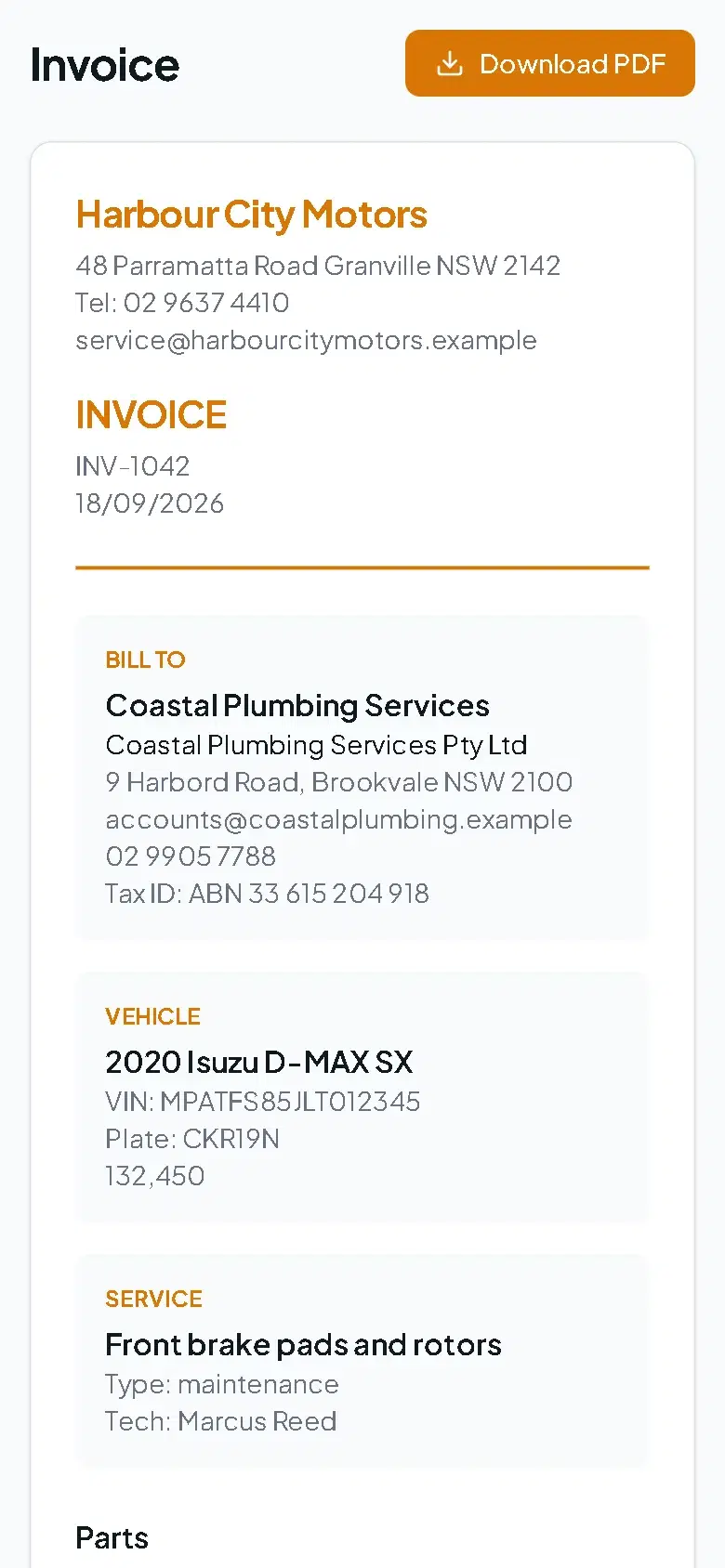
| Invoice | Read it, download a PDF, and pay online if you take online payments. See Payments. |
| Inspection | See every grade, reading, note and photo, download the report, and Request a Quote for selected items. |
| Status report | Watch your video update, read the message and send feedback. See Job status updates. |
Shared pages show your logo and contact details, and appear in your workshop's language when Force this language on customer-facing pages is on in Settings → Localization.
Create and send a link
Email needs an email address on the customer record; SMS needs a mobile number and SMS set up. If a detail is missing, the dialog says (no email on file) or (no phone on file).
See whether it was opened
The document shows when it was shared, whether it has been viewed, how many times, and when it was last opened.
Stop a link working
Select Share, then Revoke Link. The old address stops working immediately. Generate a new link if you need to send it again.
Keeping links safe
- Treat a share link like the document itself: anyone who has it can read it. Send it only to the customer.
- Links contain a long random code and are not listed or searchable.
- Revoke any link sent to the wrong person, then send a fresh one.
- Status report links can be set to expire.
Permissions
Creating or revoking a link needs permission to edit the document it belongs to. Customers need nothing but the link.
Frequently asked questions
Still need help?
Email support@wrmspro.com or use the contact form. Signed-in users can also send a request from Settings → Support.