

Purchase order → inventory
Restock oil filters from your supplier — spot what is low, raise the order, receive a part delivery, then the rest.
Harbour Road Automotive is running low on Corolla oil filters. This tutorial orders more from the supplier and books them into stock when they arrive — including a delivery that comes in two parts.
You need: Purchasing → Create purchase orders, Send / approve POs and Receive goods; the supplier set up in Suppliers; the filter set up as an inventory part.
- 1Low stock noticed
- 2PO raised (Draft)
- 3Ordered (Sent)
- 4Part delivery (Partial)
- 5Rest arrives (Received)
See what is low
Check the Low stock figure on the dashboard, or the Inventory report. If low stock alerts are on, a notification or email has already told you.
Raise the order
Open Purchase orders, select New order, Choose a supplier, then Add line: the oil filter (linked to the inventory part), Qty 20, at your cost price. Add a line for engine oil while you are there. Save — the order is Draft.
Order it
Send the order to your supplier the way you normally do — phone, email or their trade website. Then select Mark as sent. The order is now Sent.
Receive the first delivery
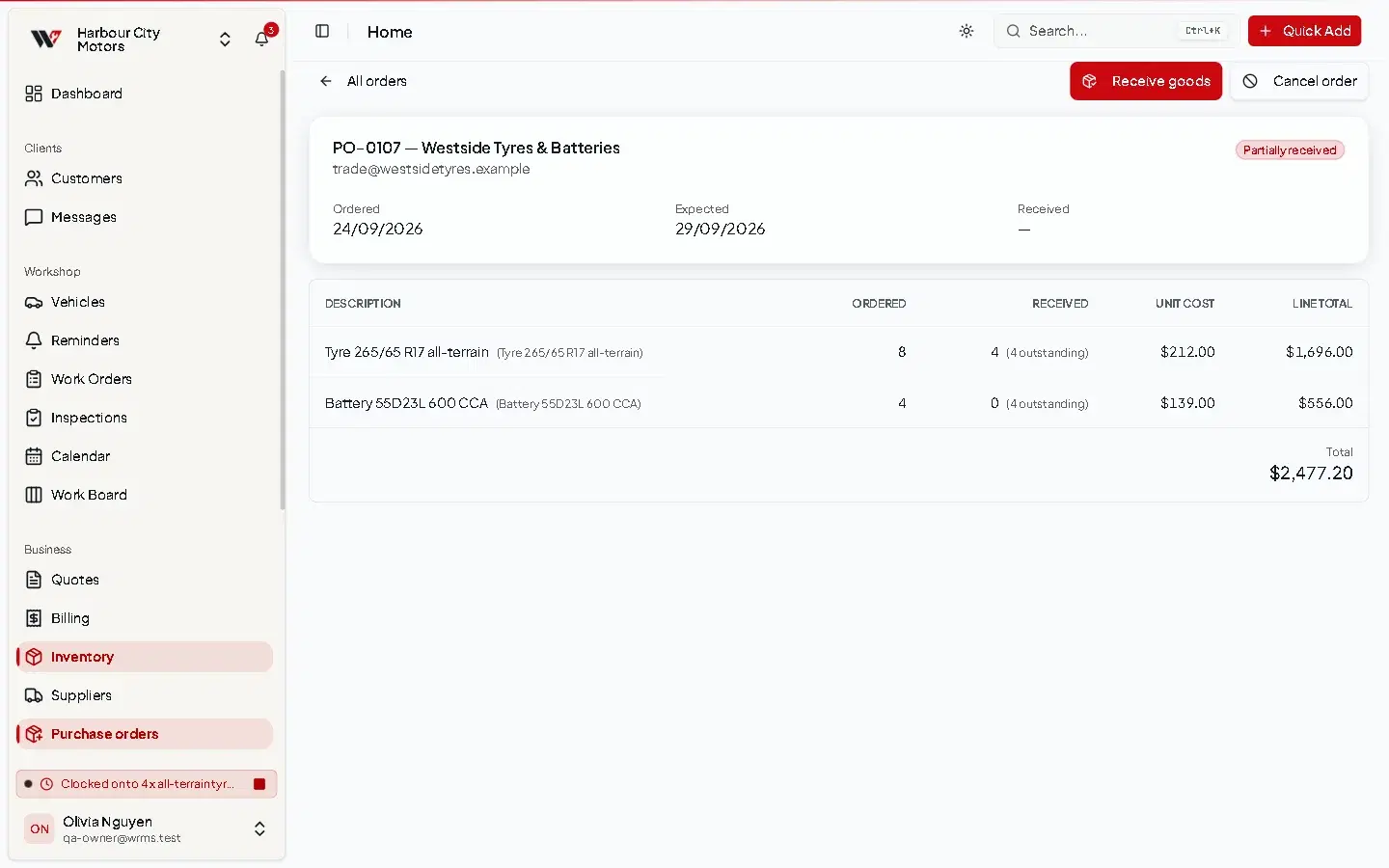
Twelve filters and all the oil arrive. Open the order, select Receive goods, change the filter quantity to 12, leave the oil as it is, and Confirm receipt.
Stock goes up by 12 filters and the oil. The order becomes Partial and shows 8 filters outstanding.
Receive the rest
When the last 8 arrive, Receive goods again — quantities are pre-filled with what is outstanding — and Confirm receipt. The order becomes Received.
Check the stock
Open the filter's Details & history. Each delivery appears in the stock history with the new balance.
Then
The filters go out on jobs as usual, and stock goes down automatically each time. → Parts on work orders
If something goes wrong
- A line was not linked to an inventory part — receiving it does not change stock. Adjust the part's quantity by hand. → Stock management
- The supplier cannot supply — Cancel order. Anything already received stays in stock.
Still need help?
Email support@wrmspro.com or use the contact form. Signed-in users can also send a request from Settings → Support.