

Vehicles
Register each vehicle once and WRMS Pro keeps its service history, notes, reminders and photos together for its whole life with you.
A vehicle record is the anchor for every job you do on a car. Register it once, and every work order, inspection, quote and reminder attaches to it.
When to use it
- A car comes in for the first time.
- You need to know what was done last time, and when.
- The owner changes, or the car is sold or written off.
Before you start
You need Vehicles → Create. Make, model and year are required. It helps to have the registration, VIN and current odometer reading.
Add a vehicle
Starting a work order for a car that is not in WRMS Pro yet? The New Work Order screen lets you add the vehicle, and a new customer, in one go. See Work orders.
Fields and options
| Field | Notes |
|---|---|
| Make, Model, Year | Required. |
| License Plate | The registration number. Search works on it. |
| VIN | Printed on invoices and inspection reports when present. |
| Mileage | Odometer reading. Each work order also records the reading at the time of the job, which is what predicted maintenance uses. |
| Fuel type, transmission, engine size, engine code, colour | Optional details. |
| Purchase date and price | Optional. |
| Photo | Shown on the vehicle page. |
The vehicle page
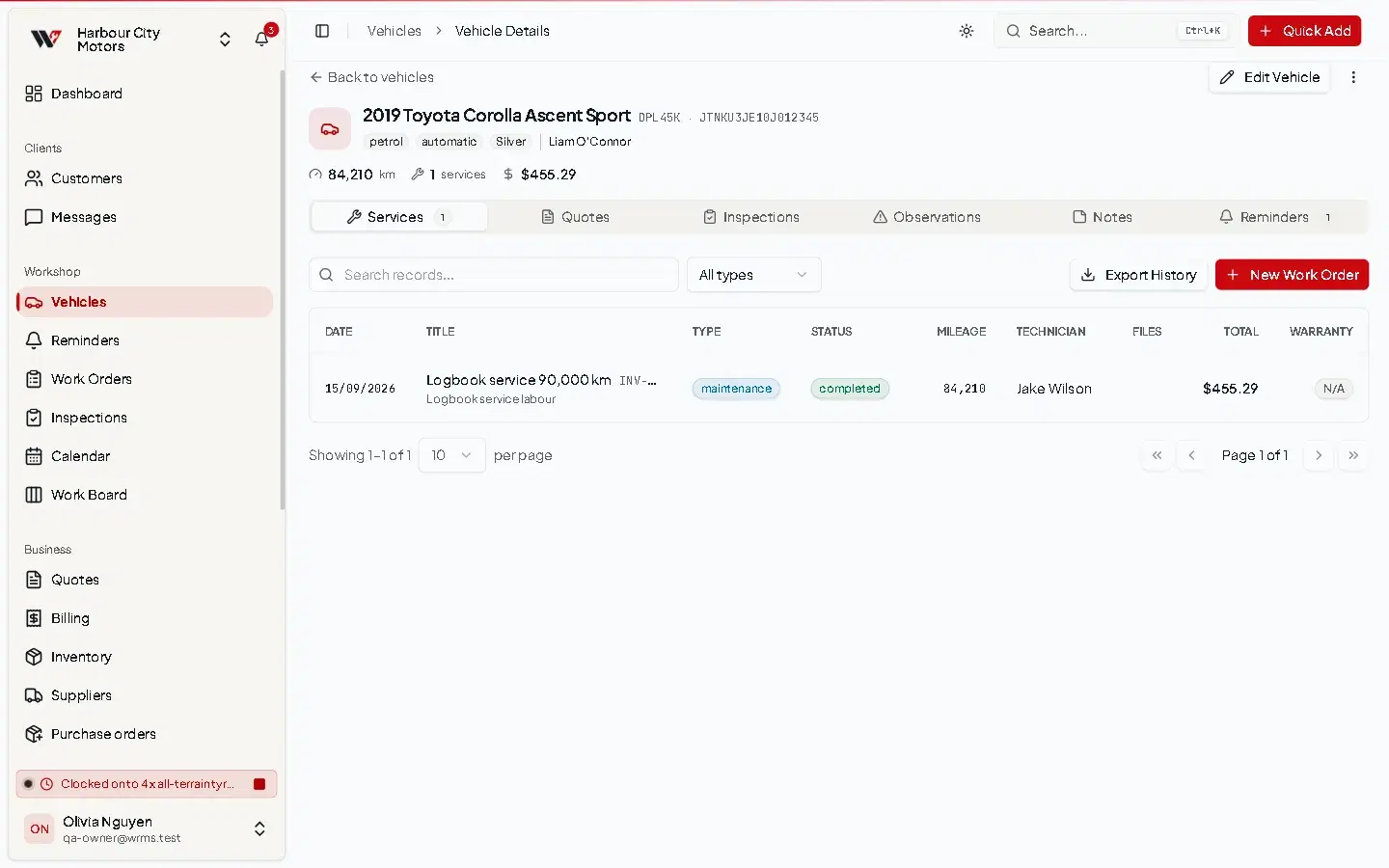
The vehicle page is the car's history file. From it you can:
- start a New Work Order;
- see every past job, with totals — see Service history;
- add notes (pin the important ones), reminders and fuel log entries;
- see observations technicians have recorded;
- download a service history PDF;
- view Predicted Mileage and Service Soon / Service Overdue flags, when predicted maintenance is on;
- generate an AI Summary of the history, when AI is set up.
Archive or delete
- Archive hides a vehicle from everyday lists but keeps everything. Use it when a customer sells the car or stops coming. Unarchive brings it back.
- Delete removes the vehicle and all of its service records, notes and reminders permanently.
Deleting a vehicle deletes its jobs
Work orders and their invoices belong to the vehicle. Deleting the vehicle deletes them too, which removes them from your reports. Archive instead unless the vehicle was added by mistake.
Permissions
| Action | Permission |
|---|---|
| View | Vehicles → View |
| Add | Vehicles → Create |
| Edit, archive | Vehicles → Edit |
| Delete | Vehicles → Delete |
The Reminders menu item also depends on Vehicles → View.
Frequently asked questions
Still need help?
Email support@wrmspro.com or use the contact form. Signed-in users can also send a request from Settings → Support.