

Service history
Everything done to a vehicle, the issues your technicians have noticed, and when it is likely to be due again.
Every work order on a vehicle becomes part of its service history. Together with observations and predicted maintenance, it tells you what was done, what was noticed, and what is coming up.
Service history
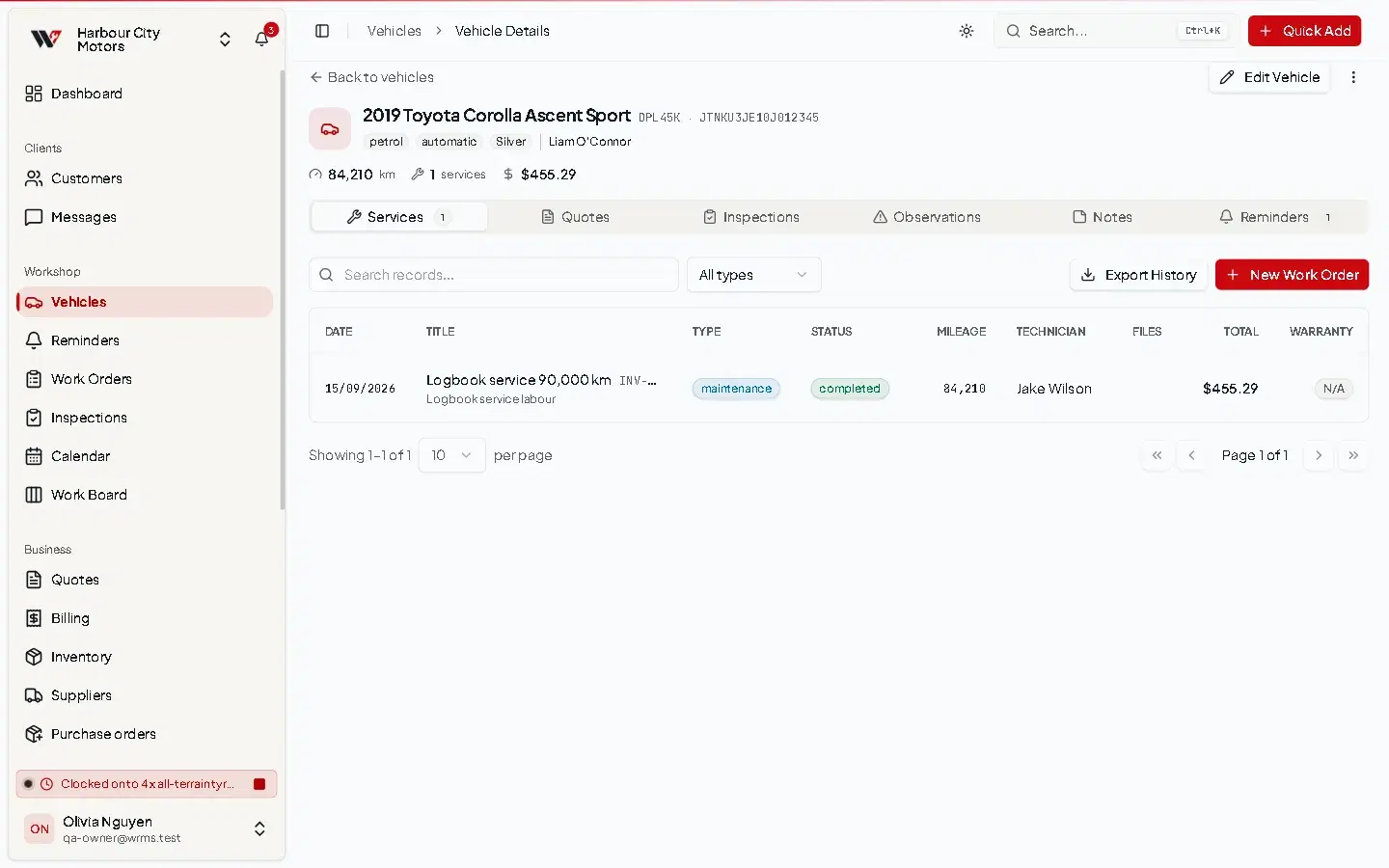
Open a vehicle to see its jobs, newest first, with date, title, odometer, status and total. Select one to open the work order.
To give the customer a copy, download the service history PDF from the vehicle page. For very long histories the PDF can take a little while to produce.
Observations
An observation (also called a finding) is something a technician noticed that was not part of the job: a weeping shock absorber, a cracked tyre sidewall, a light that will fail soon.
Each observation has a description, a severity and a status, and can carry photos.
There are three severity levels. On the customer's invoice they appear as High, Medium and Low.
- Observations recorded on a job appear on the customer's invoice under Observations, with the message that these items may need attention.
- When a later job fixes it, the observation is marked resolved and linked to that job.
- The Observations page lists observations across all vehicles — useful for follow-up calls. Open it with View all on the dashboard's Recent Observations card.
Predicted maintenance
When turned on, WRMS Pro estimates each vehicle's current odometer reading from the readings recorded on its past jobs, and flags vehicles approaching their next service.
Vehicles then show Predicted Mileage and Service Soon or Service Overdue, and the dashboard shows a Predicted Maintenance card. Dismiss hides the flag for a vehicle.
Predictions are only as good as the odometer readings entered on each work order. Record the reading on every job.
AI summary
If your workshop has set up the AI assistant, the vehicle page offers AI Summary: select Generate for a short summary of major work, recurring issues and upcoming maintenance. It is a reading aid; the job records remain the source of truth.
Permissions
Viewing history needs Vehicles → View. Turning on predicted maintenance needs Settings → Edit.
Still need help?
Email support@wrmspro.com or use the contact form. Signed-in users can also send a request from Settings → Support.