

Work Board
Plan the day or week visually — one lane per technician or per work bay — and drag jobs to where they will actually happen.
The Work Board replaces the whiteboard on the workshop wall. Each lane is a technician or a bay, each card is a job, and moving a card reschedules the job.
When to use it
- Planning tomorrow's jobs across your technicians.
- Seeing which hoist or bay is free.
- Showing the day's plan on a screen in the workshop.
Before you start
- Work Board → View to see it, and Work Board → Edit to move jobs.
- At least one technician or work bay. If there are none, the board says so and offers Add Technician or Add work bay. See Technicians and work bays.
Read the board
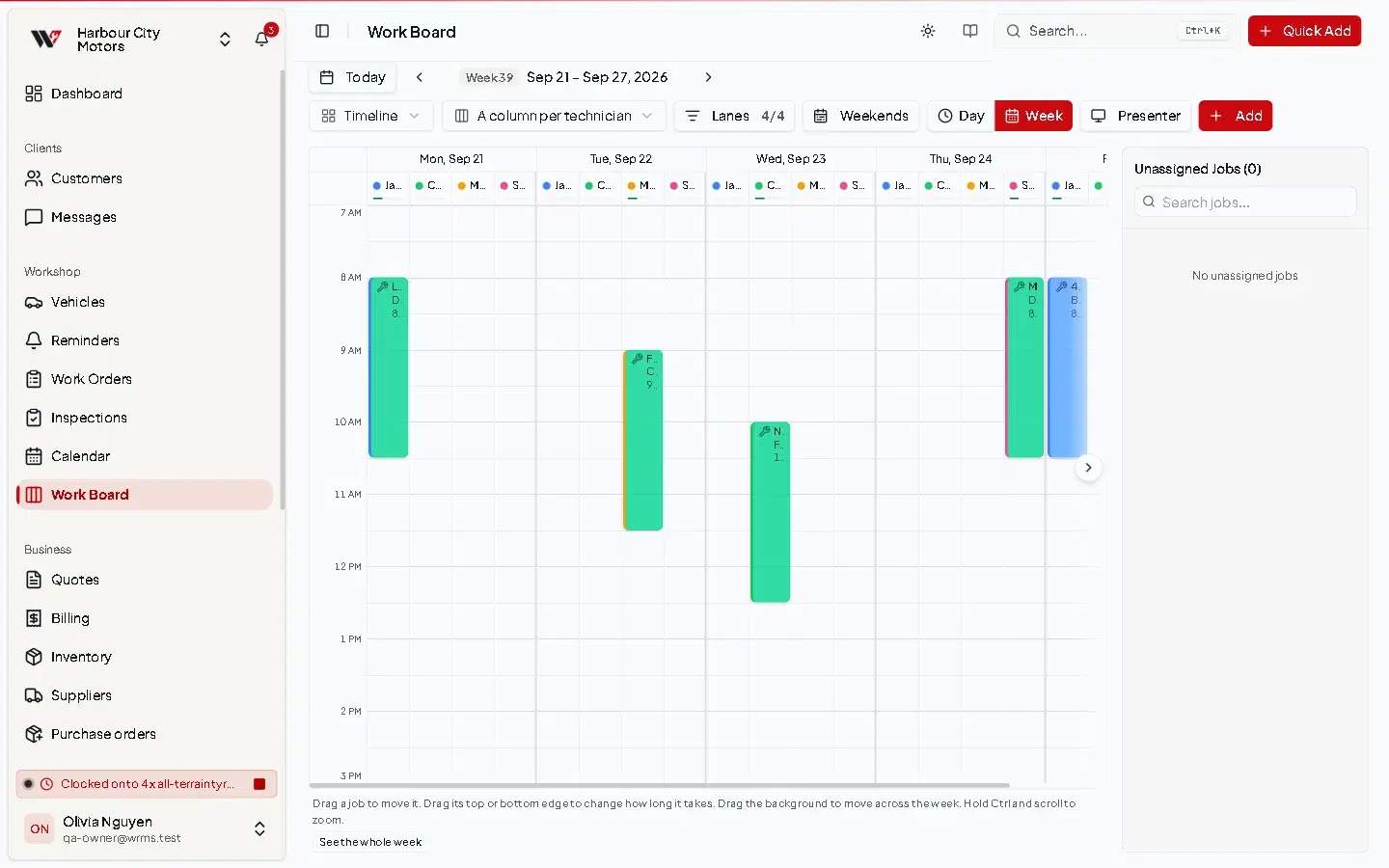
Use the toolbar to choose what you see:
| Control | Options |
|---|---|
| Today, previous / next | Move through days or weeks. |
| Day / Week | One day in detail, or the whole week. Weekends shows or hides Saturday and Sunday in week view. |
| Columns | A column per technician, A column per work bay, or A column per day. |
| Rows | A row per technician, A row per work bay, or A single row. |
| Lanes | Show all, or Only those with work. |
| Layout | Timeline (jobs placed by time) or Overview (jobs as cards). |
Jobs and inspections both appear, because both occupy a technician and a bay.
Schedule and move jobs
Remove from board only unschedules the job. The work order, its parts and its invoice are untouched.
To add a new job straight onto the board, use Create new Workorder.
Show the board on a workshop screen
Select Presenter to open a full-screen view designed for a TV in the workshop. It shows the plan without editing controls.
Capacity
Each technician and bay has a daily capacity in minutes (8 hours by default). The board uses it to show how full each lane is.
Permissions
| Action | Permission |
|---|---|
| See the board | Work Board → View |
| Add technicians or bays | Work Board → Create |
| Move jobs, edit | Work Board → Edit |
| Remove technicians or bays | Work Board → Delete |
Frequently asked questions
Still need help?
Email support@wrmspro.com or use the contact form. Signed-in users can also send a request from Settings → Support.