

Email templates
Change the wording of the emails WRMS Pro sends to your customers and your team.
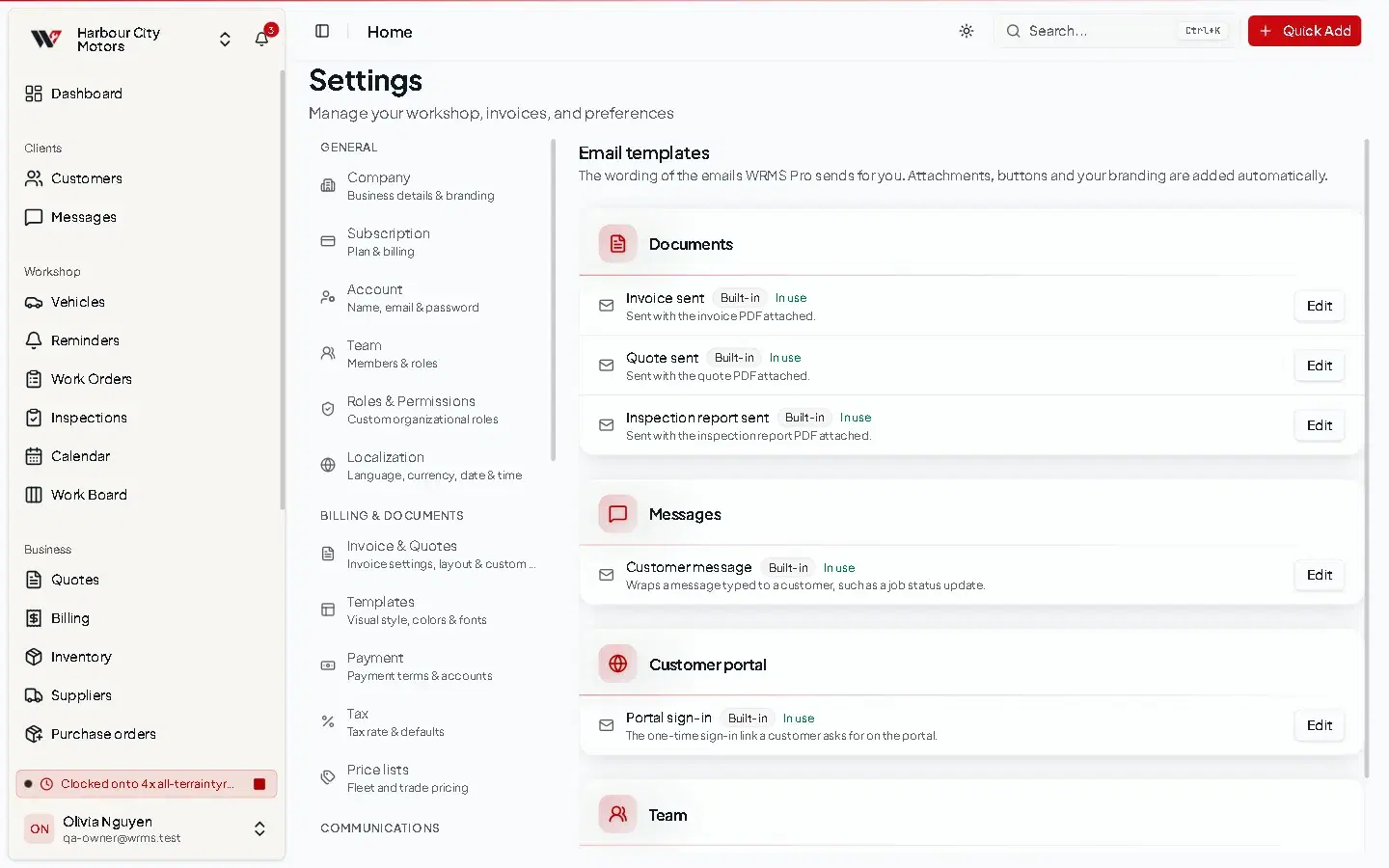
WRMS Pro sends emails for you: invoices, quotes, inspection reports, messages, portal sign-in links and team invitations. Settings → Email templates lets you change what those emails say, so they sound like your workshop.
You change the words only. The attached PDF, the View online button and your branding are added automatically, so rewording an email can never drop the invoice from it.
The templates
| Template | Sent when |
|---|---|
| Invoice sent | You email an invoice. The invoice PDF is attached. |
| Quote sent | You email a quote. The quote PDF is attached. |
| Inspection report sent | You email an inspection report. The report PDF is attached. |
| Customer message | You send a customer a message, such as a job status update. It wraps the message you type. |
| Portal sign-in | A customer asks for a sign-in link on the customer portal. |
| Team invitation | You invite someone to join your workshop in WRMS Pro. |
Templates you have changed show In use. The others use the built-in wording.
Change a template
{invoiceNumber}.To go back to the original wording, select Restore built-in.
Placeholders
Each template lists the placeholders it can use, with a description of each: for example {companyName} (your workshop name), {invoiceNumber}, {quoteNumber}, {jobTitle} and {vehicle}.
Two placeholders are required because the email is useless without them:
- Customer message must keep
{message}: it is the text you type when sending. - Portal sign-in must keep
{link}: it is the customer's sign-in link.
WRMS Pro will not save a template that uses a placeholder it does not know, or that removes a required one, and tells you which.
Tip
Keep the subject short and specific, for example Invoice {invoiceNumber} from {companyName}. It is what customers see in their inbox.
Still need help?
Email support@wrmspro.com or use the contact form. Signed-in users can also send a request from Settings → Support.
Notifications
The notification bell tells your team about customer responses, due reminders and low stock. Alert settings decide what is also emailed.
Apps & API
Connect WRMS Pro to email, SMS, WhatsApp, Telegram, payment and AI services, see what is coming, and send events to your own systems with webhooks.