

Apps & API
Connect WRMS Pro to email, SMS, WhatsApp, Telegram, payment and AI services, see what is coming, and send events to your own systems with webhooks.
Settings → Apps & API shows every service WRMS Pro can work with, in one place: what is connected now, and what you can add. Each app is set up once, with an account that belongs to your workshop, and then works in the background.
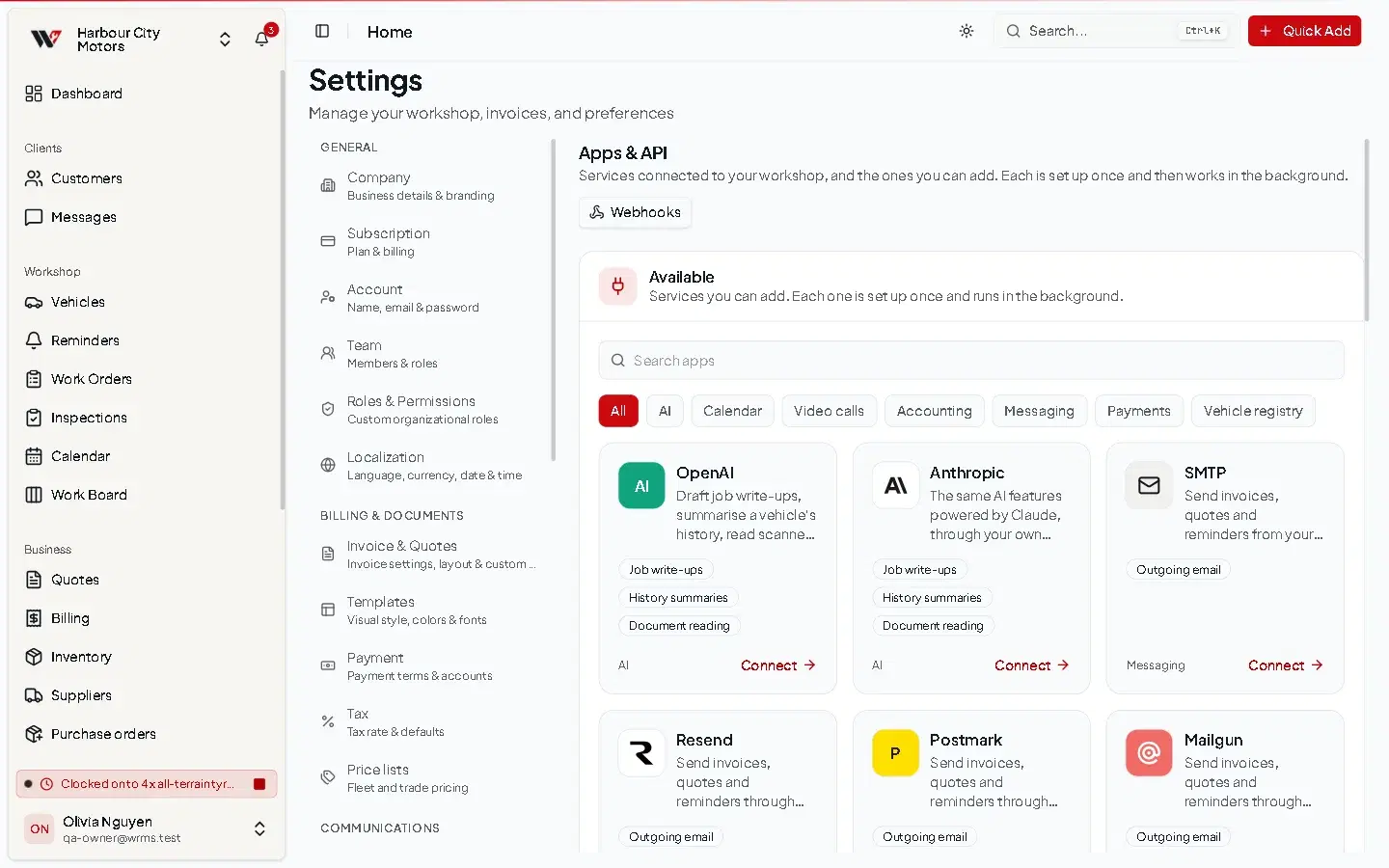
Find an app
- Connected — apps working for your workshop now.
- Available — apps you can add. Use Search apps or pick a category: AI, Messaging, Payments, Vehicle registry, Calendar, Video calls or Accounting.
Each card shows what the app does and its status:
| Status | Meaning |
|---|---|
| Connected | Set up and working. The card shows a detail such as the address emails are sent from. |
| Available | Ready to set up. Select the card's button to open its settings page. |
| Built in | Works automatically, with nothing to set up. |
| Coming soon | Not available yet. |
| Locked | Not included in your plan. The card says which feature it needs. |
What you can connect
| Category | Apps | Set up in | Guide |
|---|---|---|---|
| Email sending | Your own SMTP server, Resend, Postmark, Mailgun, SendGrid or Amazon SES. Without one, emails go out from the shared WRMS Pro sender. | Settings → Providers | Customer notifications |
| SMS | Twilio, Vonage, Telnyx | Settings → Providers | SMS |
| Twilio or Meta WhatsApp Cloud API | Settings → Providers | ||
| Telegram | Your own Telegram bot | Settings → Providers | Telegram |
| Online payments | Stripe, PayPal (and Vipps MobilePay in Norway) | Settings → Payment | Payments |
| AI | OpenAI or Anthropic, with your own account | The OpenAI or Anthropic card in Apps & API | AI assistant |
Usage charges for SMS, WhatsApp, payments and AI are billed to your own account with each provider, at the provider's rates.
Coming soon
Listed in Apps & API as Coming soon, and not available yet:
- Vehicle registry look-ups that fill in a vehicle from its plate: RegCheck (Australia and New Zealand), Statens vegvesen (Norway), Openapi Automotive (Europe).
- Google Calendar and Zoom.
- Accounting: QuickBooks Online.
Xero, MYOB and parts ordering (for example Burson EzyParts) are not available either. Until an accounting connection exists, use the Reports CSV exports for your bookkeeper, and record parts orders on a purchase order.
Webhooks and the API
The Webhooks section of the page sends WRMS Pro events, such as a work order being completed or an invoice being paid, to a web address you choose, so your own systems or an automation tool can react. See Webhooks.
WRMS Pro does not have a public REST API for reading or changing data from outside. See Developer.
Who can change apps
Changing apps needs Settings → Edit. Owners and Admins have it.
Still need help?
Email support@wrmspro.com or use the contact form. Signed-in users can also send a request from Settings → Support.